· case-study · 6 min read
Building a Flutter + Live2D Character Productivity App
A hybrid mobile app case study covering Flutter, a Live2D WebView runtime, Firebase, FCM, NFC, background timers, media content, and App Store / Google Play review readiness.
In one sentence
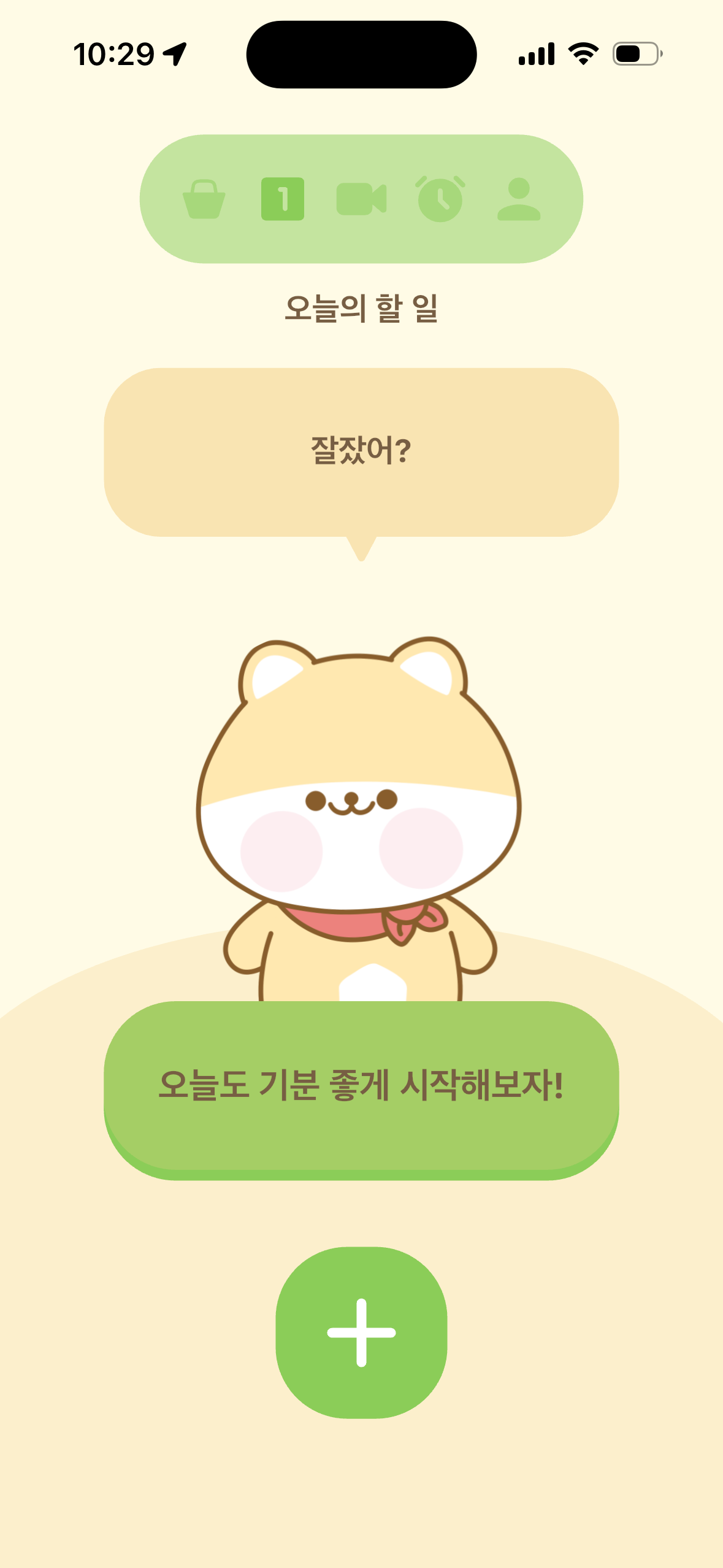
We built a character-based productivity app in Flutter. The hard part was not only rendering a cute character. It was making Live2D WebView rendering, Firebase, FCM, NFC, focus timers, media content, and app review requirements work together as one product.
This project shows the typical complexity of hybrid mobile apps. Features can be added quickly, but lifecycle, permissions, review rules, server data, and external APIs become tightly coupled once the app becomes a real product.
Live2D inside a Flutter app
The first major decision was not to rebuild Live2D rendering as native Flutter widgets. The Live2D Cubism Web SDK already worked well with TypeScript and WebGL, while Flutter was a better fit for app state, navigation, notifications, timers, authentication, and native permissions.
The architecture was split into two layers:
- Flutter: product experience, state management, authentication, notifications, timers, native permissions
- Live2D WebView: character rendering, motion playback, touch reactions
The two layers communicate through a JavaScript bridge. After the WebView loads, Flutter sends the character list and selected character. The WebView loads the model and reports touch events or motion state back to Flutter.
But a WebView integration is not simply a page inside an app. App startup timing, WebView lifecycle events, local assets, CORS, iOS local networking, and JavaScript function readiness all became failure points. WebView page load and Live2D runtime readiness are not the same event.
The key abstraction became a readiness contract. If Flutter sends a command too early, the runtime fails. If server-provided model URLs arrive late, the app needs a fallback strategy that can swap from a default model to the selected model safely.
Operating characters as data
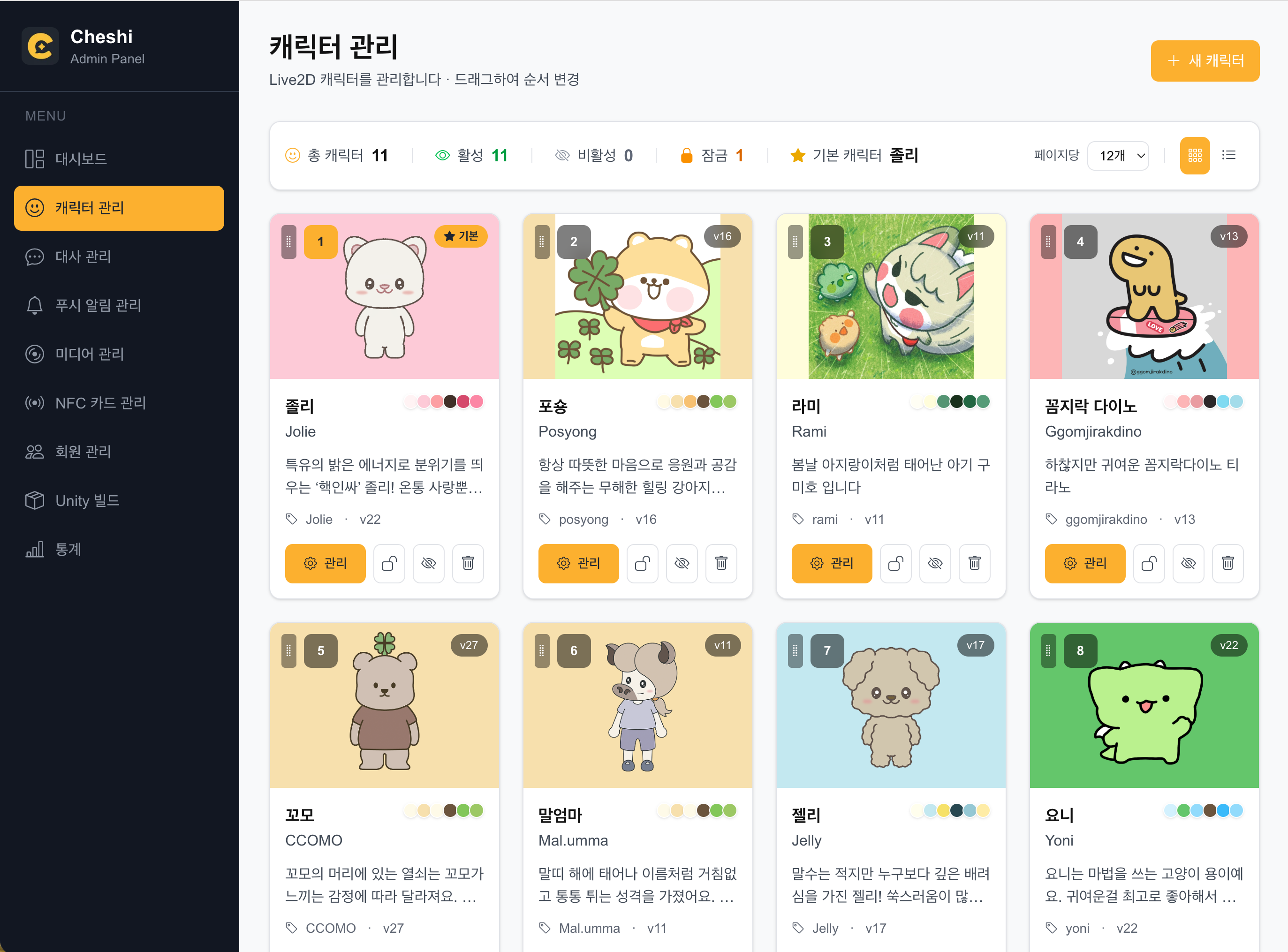
In a character app, characters are not decoration. When characters are added, defaults change, themes evolve, and resource URLs move, the app cannot require a new store release for every update.
Character loading was designed with three priority layers:
- Server configuration: Firestore controls order and default character
- Local fallback: the app still starts when the network fails
- SDK fallback: the WebView never starts from a blank character area
This became an operations model, not only a stability feature. Each character carries theme colors, thumbnails, descriptions, levels, experience, and ownership state. When a user changes the character, the app theme and interaction state change with it. In a character app, the data model is also the emotional model.
One Thing Todo and mission loops
The Todo feature is not a heavy task manager. It is closer to a One Thing Todo: one meaningful task for the day. In a character app, a complex productivity tool can feel like a management burden.
The flow was designed as one loop: enter a task, complete it, choose a mood, and receive a small celebration. The mood is not only UI flavor. It can become context for push messages and mission states later.
Daily missions connect this loop to broader app activity. Interacting with the character, completing the day’s task, or visiting an external shop can each have states such as completed, reward available, and reward claimed. To prevent duplicate rewards across devices, server functions and deduplication keys were used.
FCM, timers, and NFC
A character app also needs to consider the time when the app is not open. Personalized push required FCM, scheduled server logic, deduplication, and notification-tab recovery. The question is not just how to send messages, but which event should reach which user once.
Focus timers were more platform-sensitive. iOS and Android have different background execution rules. iOS may require Live Activity or notification-centered design. Android introduces foreground service, exact alarm, and full-screen intent considerations. Timer features should be designed around platform policy before UI polish.
NFC had a similar shape. Reading a tag and opening content sounds simple, but real products need to handle deep links before and after install, iOS and Android tag behavior, offline states, and invalid tag data. For smart goods connected to app content, platform constraints come before feature design.
Firebase and admin CMS
Firebase became the operations backbone: Auth, Firestore, Storage, Messaging, and Functions. Frequently changing data such as characters, dialogue, push copy, NFC content, and reward policies needed to live outside the app binary.
That made an admin CMS necessary. Without a CMS, the mobile app release process becomes the operations tool. Changing character copy, push text, NFC content, or reward rules should not require a new app review every time.
External reward integration was also kept server-side. Calling an external point API directly from the client would expose credentials and make duplicate rewards harder to prevent. The app records mission state, and a server function validates deduplication keys before calling the external API.
Face Tracking and Unity PoC
On iOS, ARKit Face Tracking was explored to map head movement and facial expression into Live2D parameters. ARFaceAnchor transform and blendshape values are sent through Flutter EventChannel, forwarded into the WebView through the JavaScript bridge, and applied to Live2D head, eye, and mouth parameters.
Real-device testing mattered more than official axis names. Values commonly described as pitch and yaw did not always map to the expected Live2D directions. Because the user faces the character, horizontal movement also needed mirroring. JavaScript update frequency had to be throttled to avoid stressing the WebView.
There was also a Unity PoC for a possible 3D path. A Unity 6 scene was embedded inside the Flutter app and evaluated as a future direction for 3D characters and face tracking. The PoC built successfully, but production adoption raised different concerns: app review risk, unused native frameworks, and Flutter engine reentry behavior.
The final decision separated PoC success from product adoption. The team validated the possibility, but kept the current product on the more stable Flutter + Live2D structure. A successful experiment does not always belong in the release build.
Review and release documentation
Implementation and release readiness are different problems in mobile apps. An app can work perfectly on a local device and still fail App Store or Google Play review because of permissions, privacy copy, native frameworks, device support, version codes, test accounts, or review notes.
On iOS, unused native frameworks can still be inspected if they are present in the build artifact. Face Tracking also requires a clear TrueDepth API explanation, including whether face data is stored or transmitted. In this app, the intent was real-time character reaction, not server-side storage.
On Android, timer features required explanations for permissions such as foreground service, full-screen intent, and exact alarm. Permissions merged into the Manifest by dependencies still count as app permissions, so release work had to identify which dependency added which permission.
Documentation made this manageable. The project records feature design, review issues, permission declarations, iOS setup, Android setup, push bugs, media issues, NFC setup, and backend integration notes. Release documentation is not only history. It is an operating tool for the next build.
What we learned
Hybrid apps need readiness contracts
When Flutter and WebView communicate, bridge functions are not enough. The product needs a clear definition of when commands are safe to send.
Operational data belongs outside the app binary
Characters, dialogue, push copy, NFC content, and reward rules should be manageable through server data and CMS tools. Otherwise, app updates become operations.
PoC success is not production readiness
Face Tracking and Unity experiments were valuable, but release stability came first. Removing risky integration code can be the correct engineering decision.
FAQ
Is Live2D inside Flutter stable enough?
Yes, if the app treats WebView load, Live2D runtime readiness, model fallback, and bridge timing as explicit contracts.
Do NFC or background timers affect app review?
They can. iOS and Android both care about permission purpose and user-facing explanations. On Android, permissions added by dependencies also need to be reviewed.
Why was the Unity PoC not shipped?
The technical path was validated, but the current product prioritized stability and review safety. Not every successful PoC should become release code.
If you are building a character app, productivity app, Flutter hybrid app, or a mobile product with NFC, push, media, and review-sensitive permissions, start a project with the core features and platform requirements. Reviewing platform constraints early reduces release risk.
Hammergrid Lab designs and builds mobile products that combine Flutter, Firebase, WebView, Live2D, NFC, and push notifications.
Related services
3D web, 3dweb, 3D configurator, 3D product configurator, 3D product viewer, WebGPU, Three.js