· case-study · 4 min read
Scroll Drives the Motion — Building a 3D Avatar Interaction Web
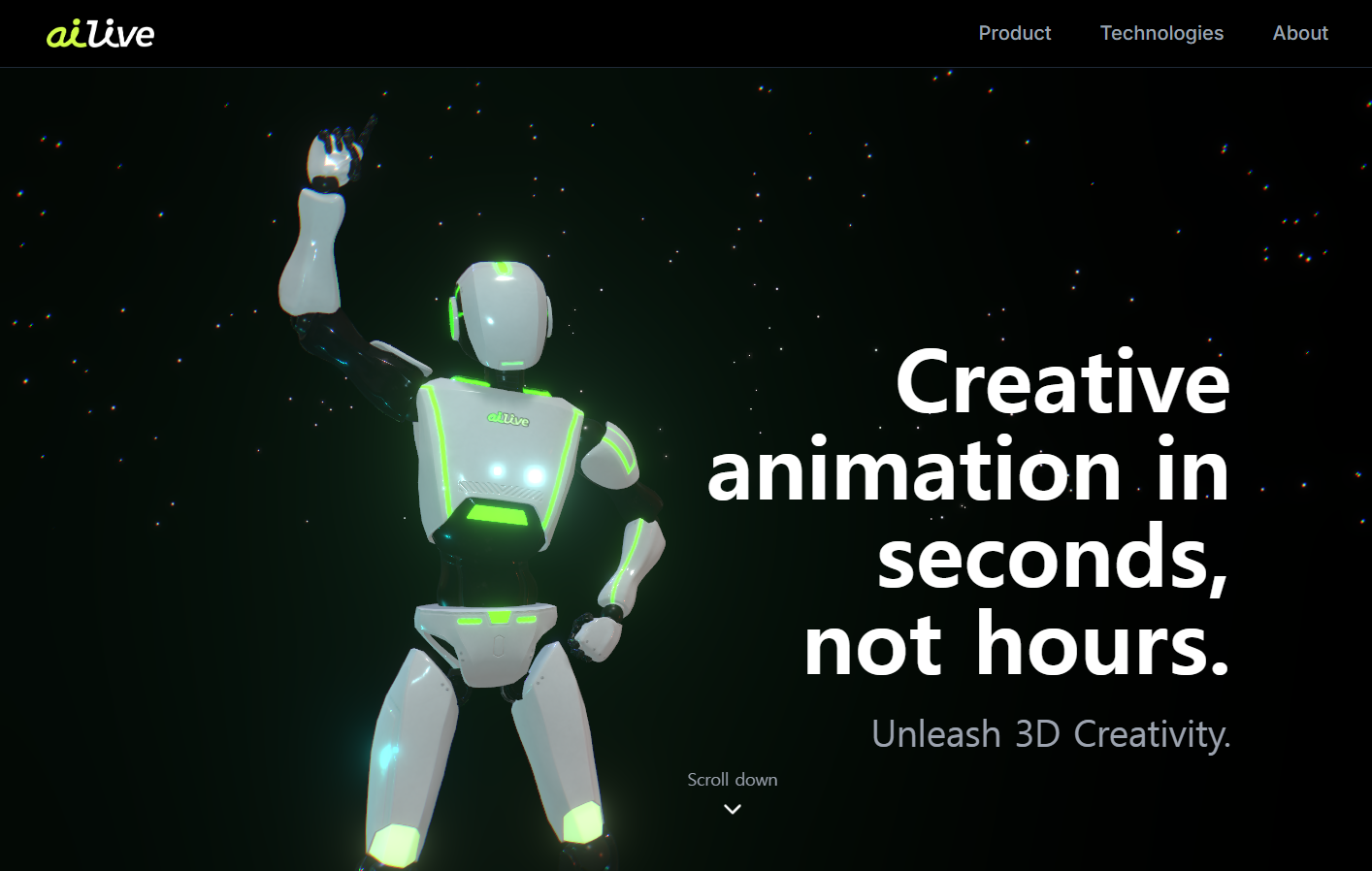
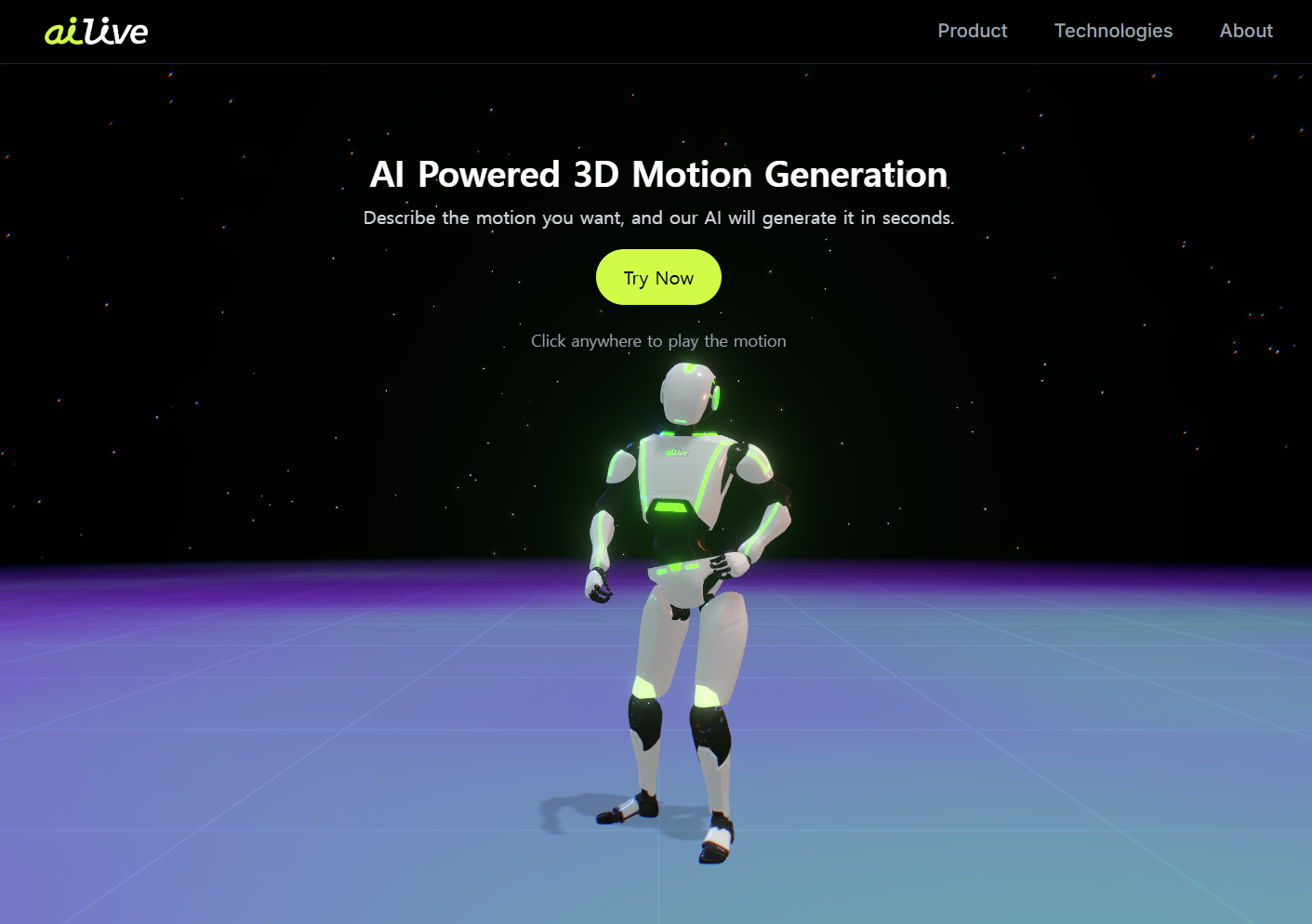
A landing page where scrolling blends motion clips, the avatar's eyes follow the cursor, and the lighting shifts as you read. Built for an AI motion-generation product — because the page itself had to be the demo.
In one sentence
Scroll the page and the 3D avatar shifts pose; move the mouse and her eyes follow you; keep going and the lighting and background change with you. We built a 3D interaction web for an AI motion-generation service, and the brief was simple — the page itself had to prove they can do motion.
Live at — ailive-web.vercel.app
It started with this question
"Our product is AI motion generation — but our landing page is a static photo with text. Isn't that a contradiction?"
It was. A landing page isn't just marketing — it's the company's first demo. Saying you do motion while showing a still page is awkward.
So the page we set out to build was "a page where scroll is the motion timeline."
The four core interactions
1. Scroll-driven motion blending
As you scroll, the avatar smoothly transitions to the next motion. Not "section A → motion A, section B → motion B" — a continuous blend between two clips, weighted by scroll progress.
Three.js' AnimationMixer accepts dynamic weights, so we just hand it the scroll progress (0..1):
const t = scrollProgress; // 0..1
mixer.clipAction(motionA).setEffectiveWeight(1 - t);
mixer.clipAction(motionB).setEffectiveWeight(t);
Five lines, but visually this was the heaviest hitter. About 80% of the "this page reacts to me" feeling came from this single blend.
2. Eyes that follow the cursor
We normalize the cursor position relative to screen center and feed it as a soft weight into the avatar's head and eye quaternions. Following too tightly is creepy — about 0.3 strength, deliberately loose. Five lines of code, and suddenly the avatar feels alive.
3. Environment lighting and HDR background
Scroll position interpolates HDR environment-map exposure and rotation. Top of the page is calm studio lighting; bottom is warm and moody. Same character, completely different feel — and a quiet way to show the company knows motion content.
4. Particles, glow, point lights
When certain motions trigger, particles drift around the avatar and the key light briefly intensifies. Looks lavish, costs little — depthTest=false skipping the sort overhead is the trick.
The hardest problem was "what to render, and when"
The real enemy of a 3D interaction web isn't graphics. It's unnecessary re-renders.
Our first build dropped to under 30 fps on mobile. It wasn't the graphics — it was the React side. The scroll handler was re-rendering components every frame.
The fix was unglamorous:
- Scroll progress lives in a ref + requestAnimationFrame, not React state
- Three.js objects are created once on mount and never re-instantiated on prop changes (
useMemo,useRefeverywhere) - Callbacks pinned with
useCallback; mixer and camera created in the parent, passed down as refs depthTest=falseon particles and shadows to drop sorting cost- UI elements render only after load completes — a tighter first paint
After those five changes, mobile fps went from a wobbling 30s to a steady 60.
Design rules — "interaction shouldn't hijack the screen"
A 3D interaction web collapses fast if you get greedy. We held three rules from day one:
- Every interaction shows visual response within 0.3 s
- The camera never moves on its own without user intent
- Motion changes are part of the narrative, not a flex
The third was the most important. Pile in cool-looking motions and the page becomes "please look at me." We placed motion to match the content's flow, and the result felt smoother for it.
What we walked away with
React is the enemy, refs are the friend
3D + scroll fights React state almost every time. Per-frame change belongs to refs and requestAnimationFrame.
Eyes are what make an avatar alive
Not complex IK, not fancy facial bones — a loose cursor-tracking gaze does the heavy lifting. Five lines of code.
The page itself is the company's demo
Saying "we're great at X" in copy is weaker than a page literally built with X. Especially in content, AI, and 3D — the page is the proof.
Things people ask
How long does a similar page take? With 3D assets ready (avatar, motion clips, HDR): 4–6 weeks. Including motion authoring: 6–10 weeks.
Will this run okay on mobile? Yes — provided you don't try to make it look like the desktop. We apply an LOD policy that simplifies lights and particles automatically; 60 fps is achievable.
Can we get tighter scroll control? Yes. ScrollTrigger or Lenis give you per-section timelines. Just be aware you take on a library dependency — choose deliberately.
Isn't this bad for SEO? 3D is invisible to crawlers, but body text + JSON-LD + meta tags, done well, are enough. We always design the static content alongside the interaction, never as an afterthought.
If "the page itself should be the demo" sounds like your problem, get in touch with the message you're trying to send. The first call usually answers "is 3D actually the right vehicle for that message?"
Hammergrid Lab is a creative engineering studio building interactive web and 3D content on Three.js and WebGPU.
Related services
3D web, 3dweb, 3D configurator, 3D product configurator, 3D product viewer, WebGPU, Three.js